Site plans and test reports, done on site.
Mark up the plan, fill in the test sheet on your phone and send the customer a PDF with your logo.
Runs in the browser on a phone, tablet or computer. Nothing to install.
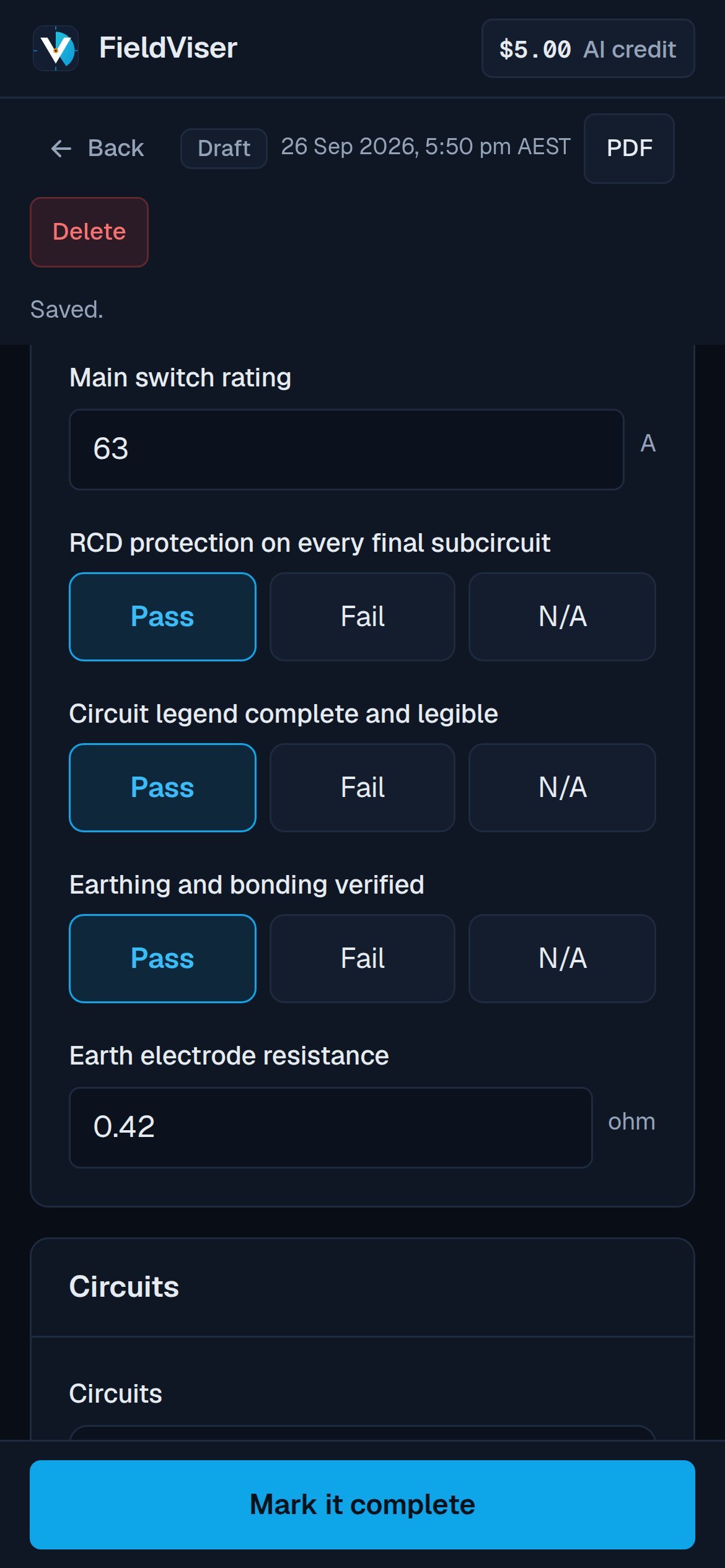
- Works offlineOpen reports fill in with no signal and sync later.
- Your business on every pageLogo, colour, licence and contact details.
- Database in SydneyAccounts, jobs and reports held in Australia. Photos with Cloudflare.
- AI is optionalEvery AI feature has a manual option.
Jobs, forms and reports in one app.
Start a report from a job with the customer, address and job number already filled in.
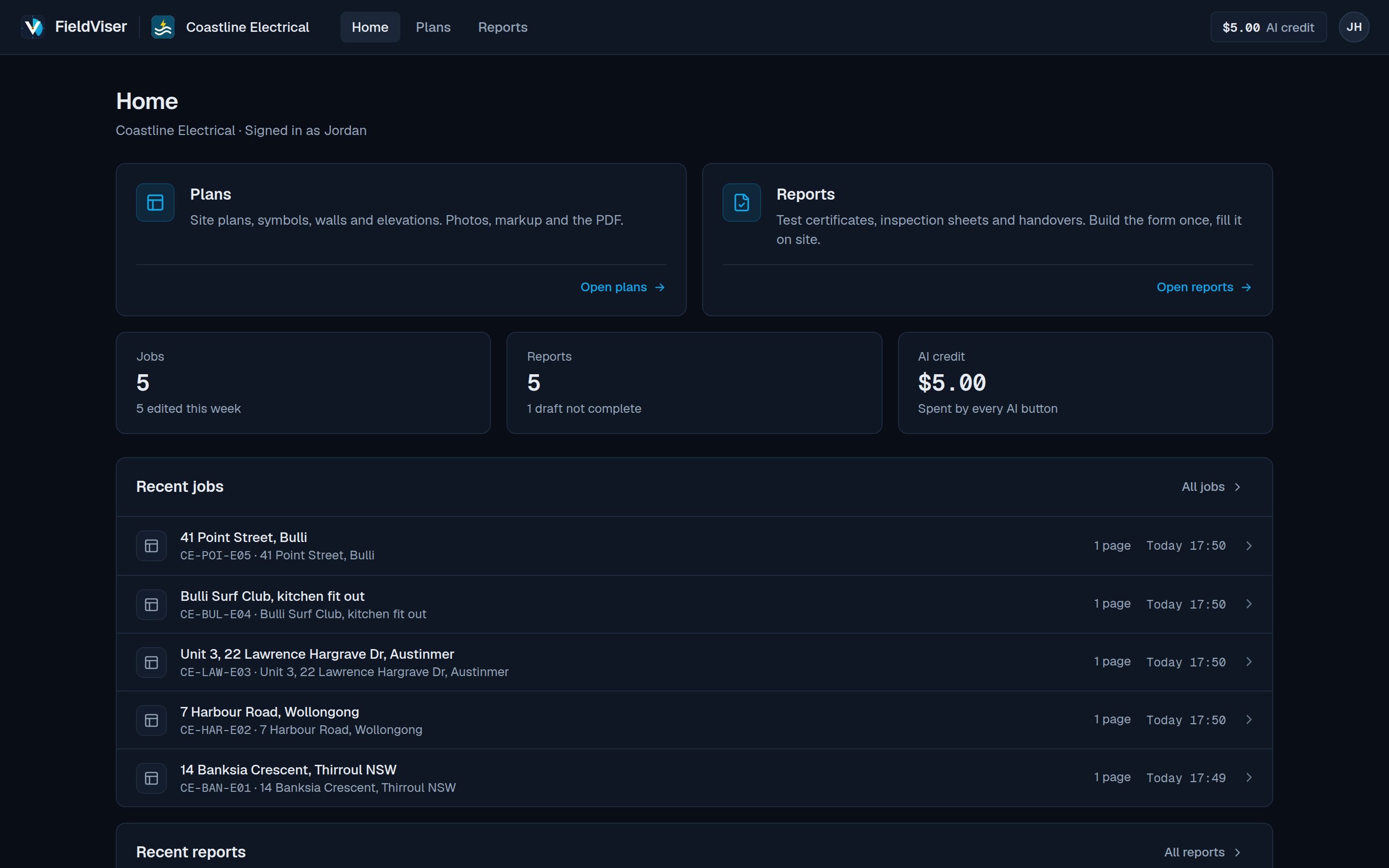
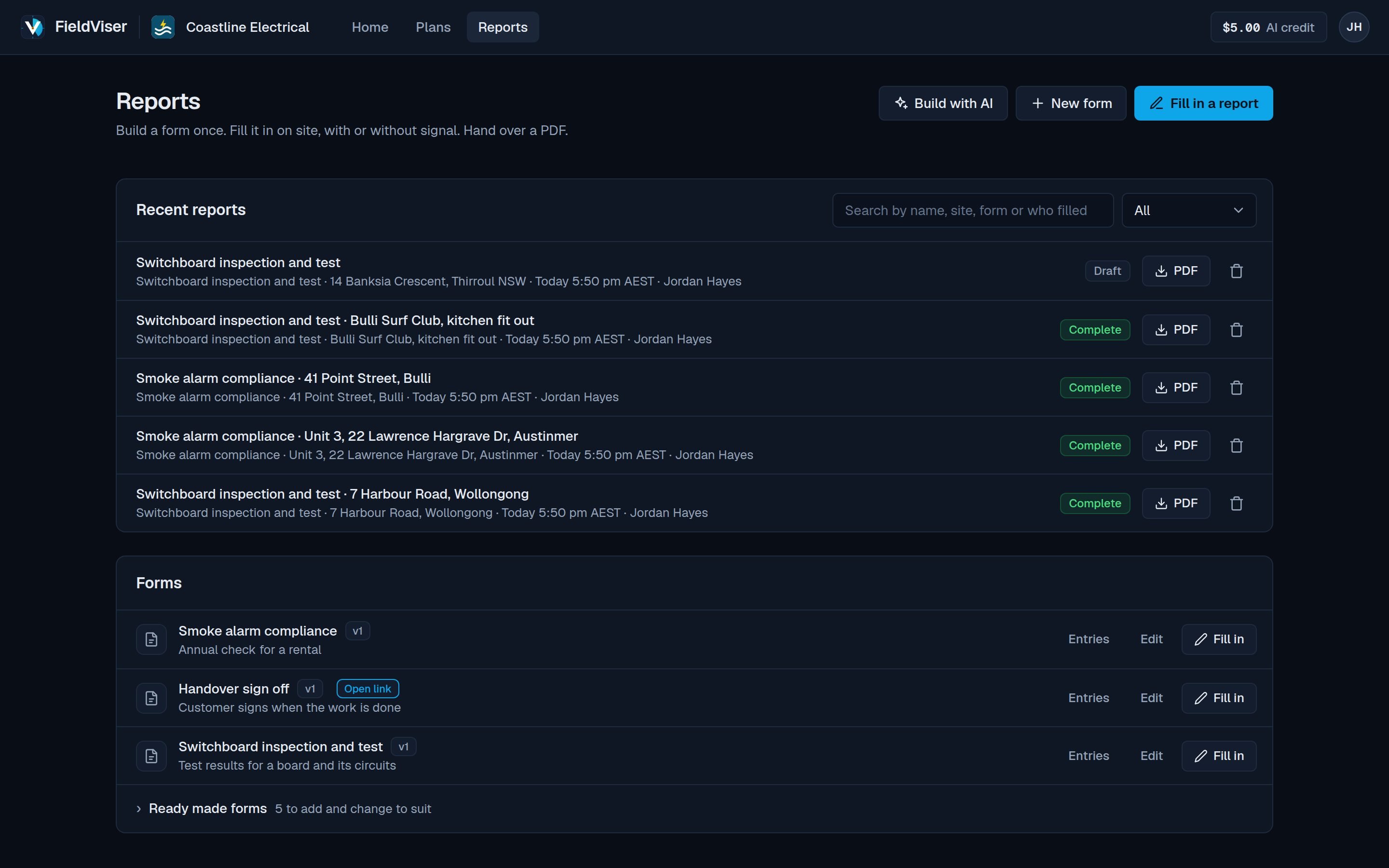
Home. Recent jobs and reports.
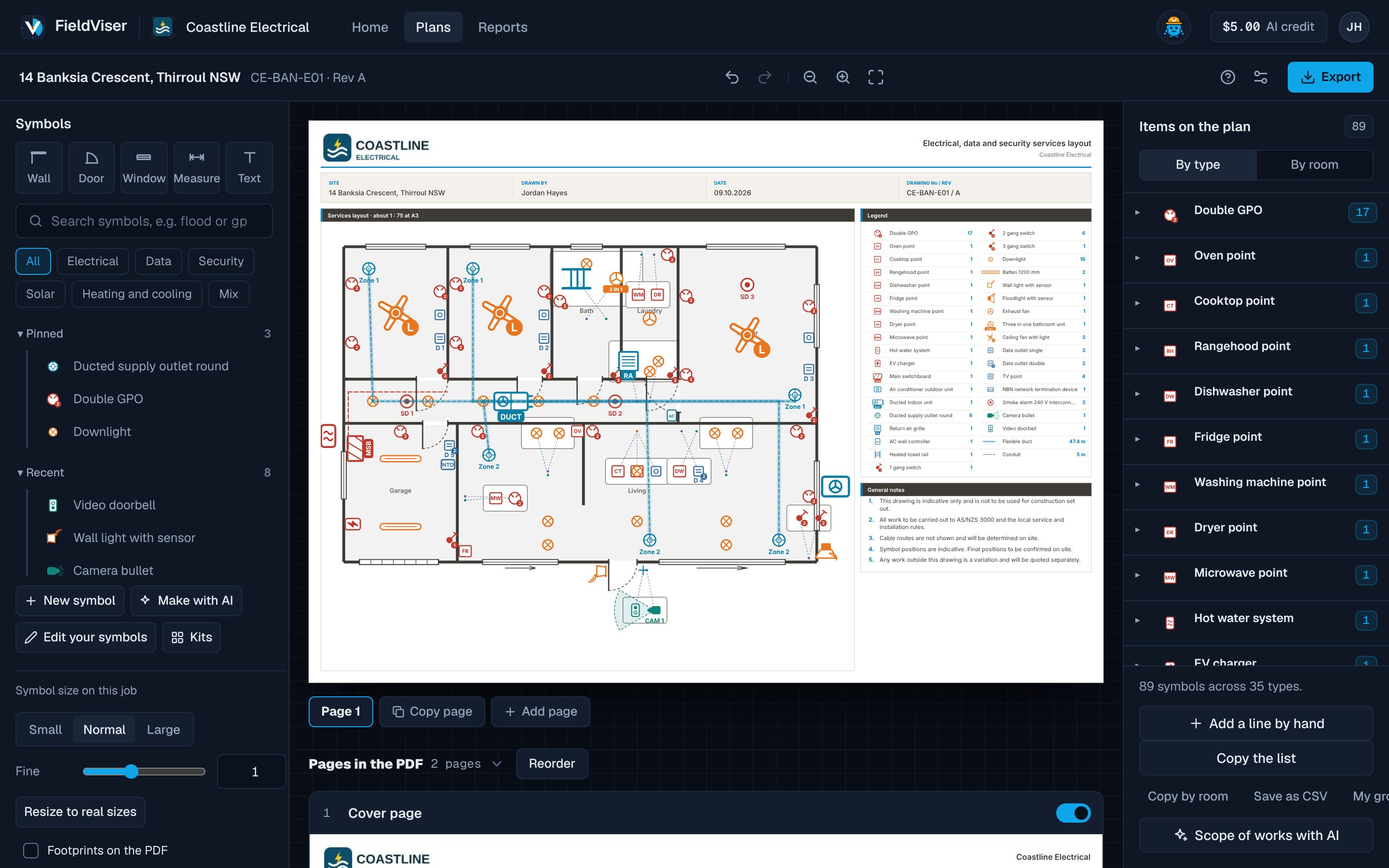
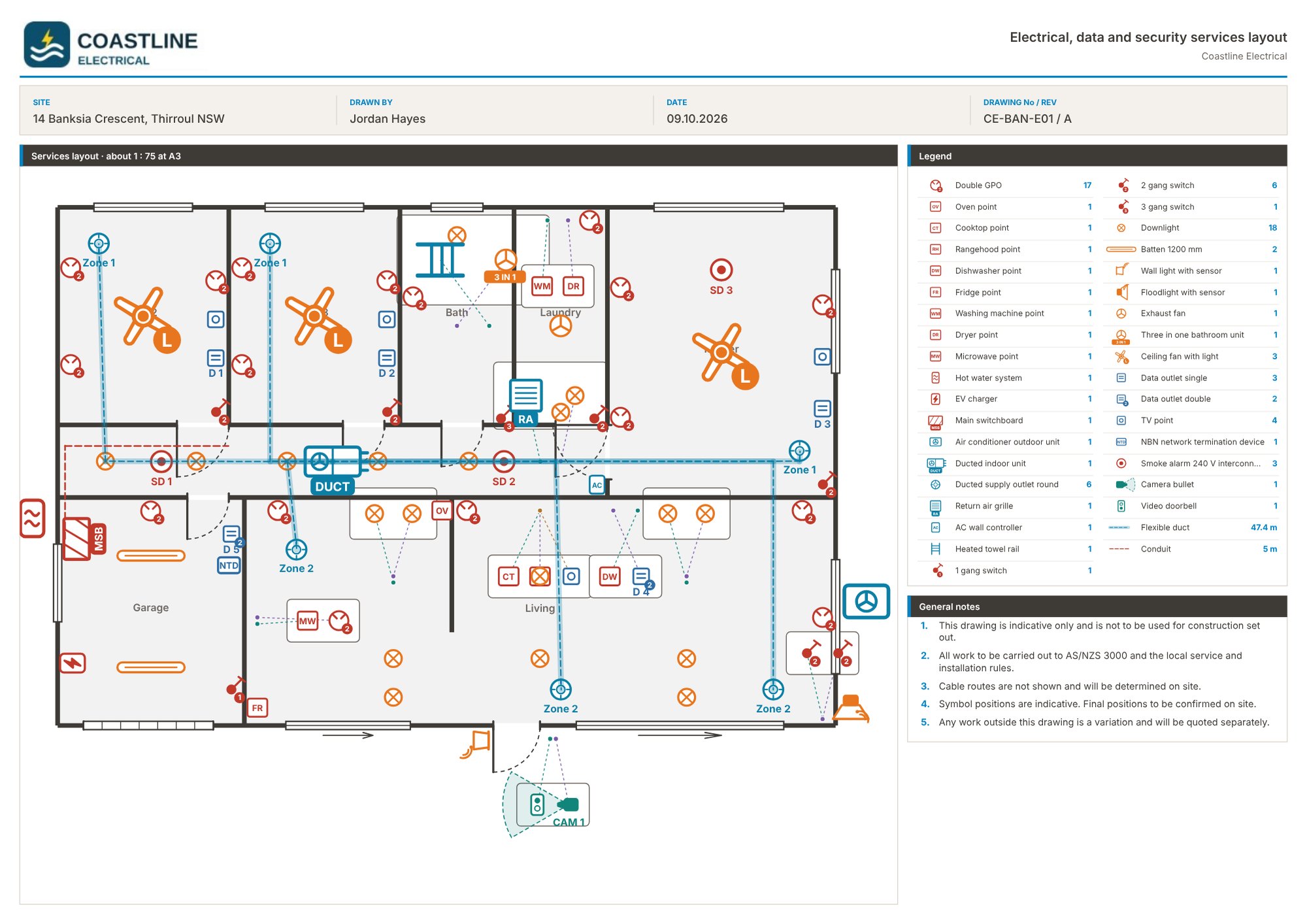
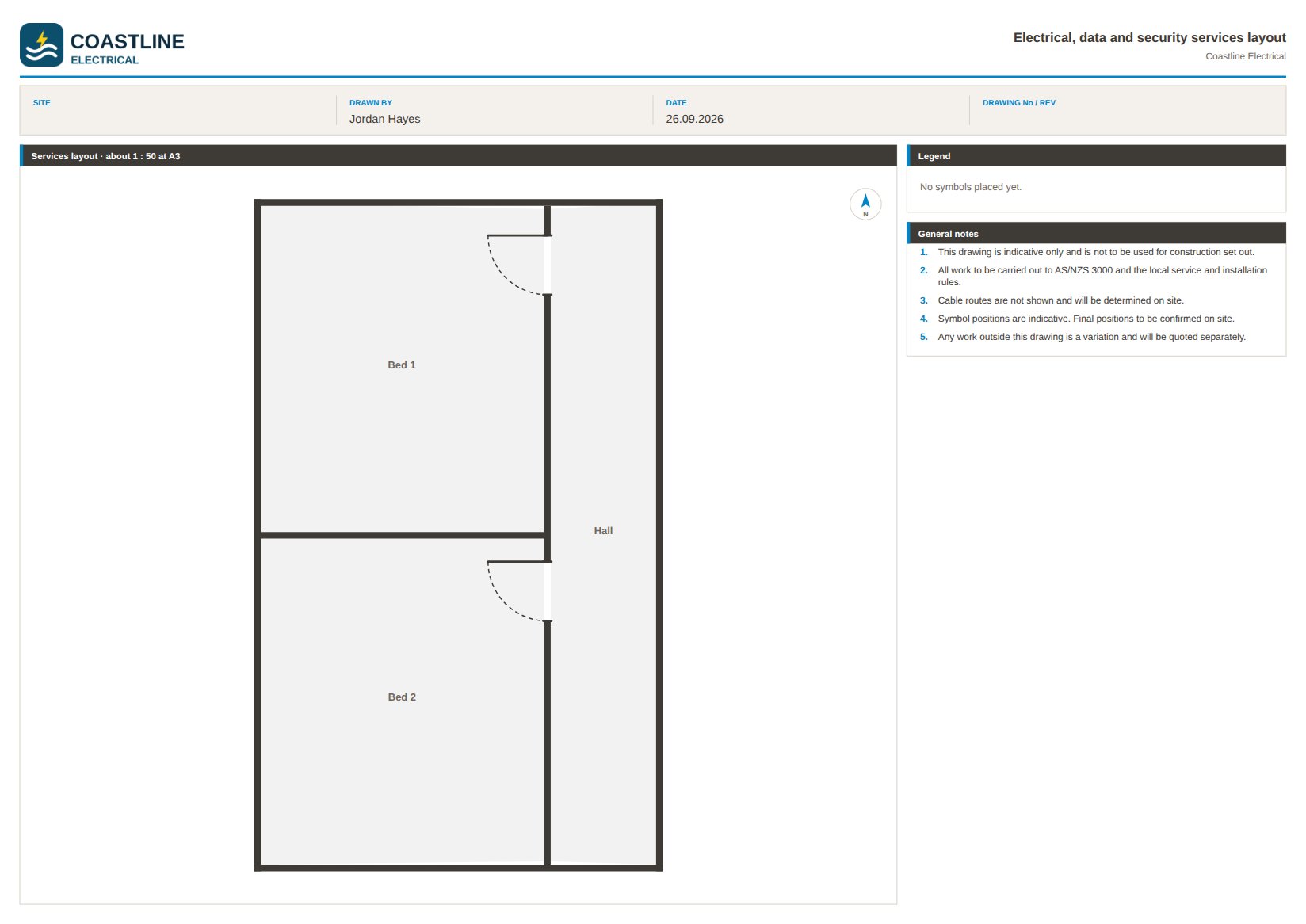
Mark up any plan and print at A3.
Place symbols to scale on a PDF, photo or scan.
- Symbol library Electrical, heating and cooling, data, security and solar, at real size, plus your own.
- Rows, room fills and kits A room of downlights or a whole kitchen in one go.
- Walls, doors and windows Rooms worked out from the walls.
- Switching and mount heights Problems flagged on the plan.
- Legend and counts Updated as each symbol is placed.
- Elevations and photo pages In the same PDF, linked page to page.
- Materials list By type or room, with duct and cable runs in metres, as a list or CSV.
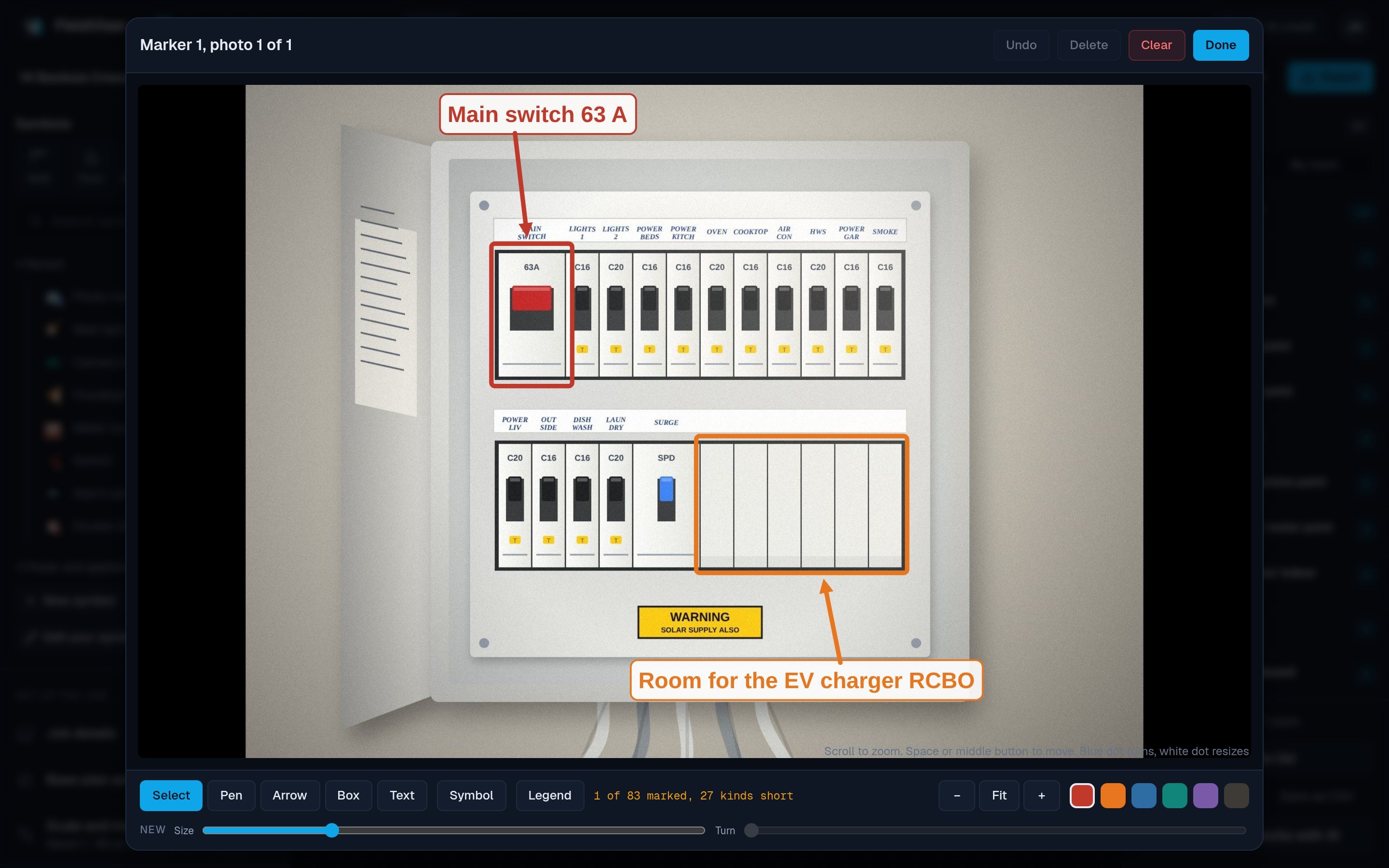
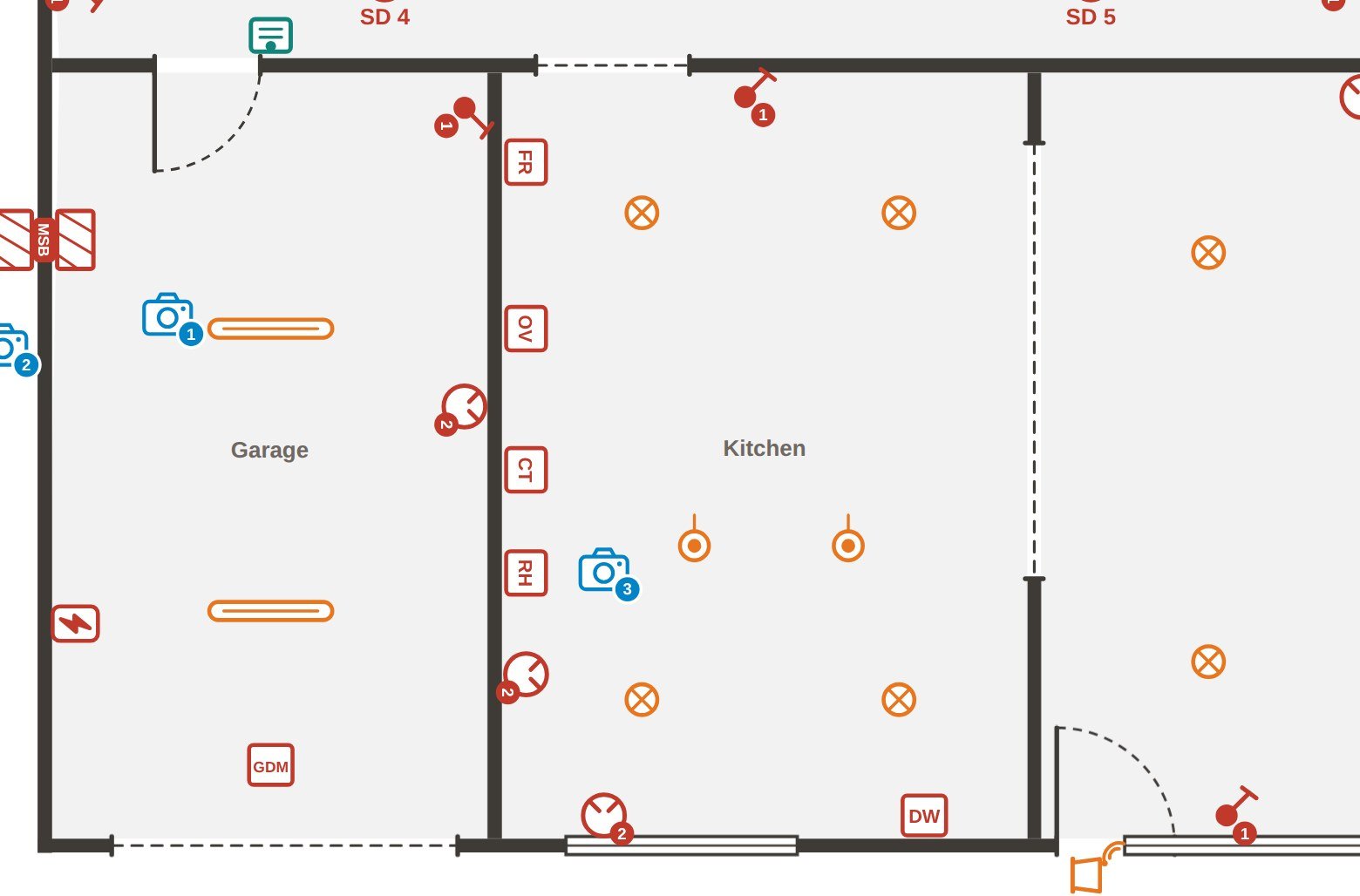
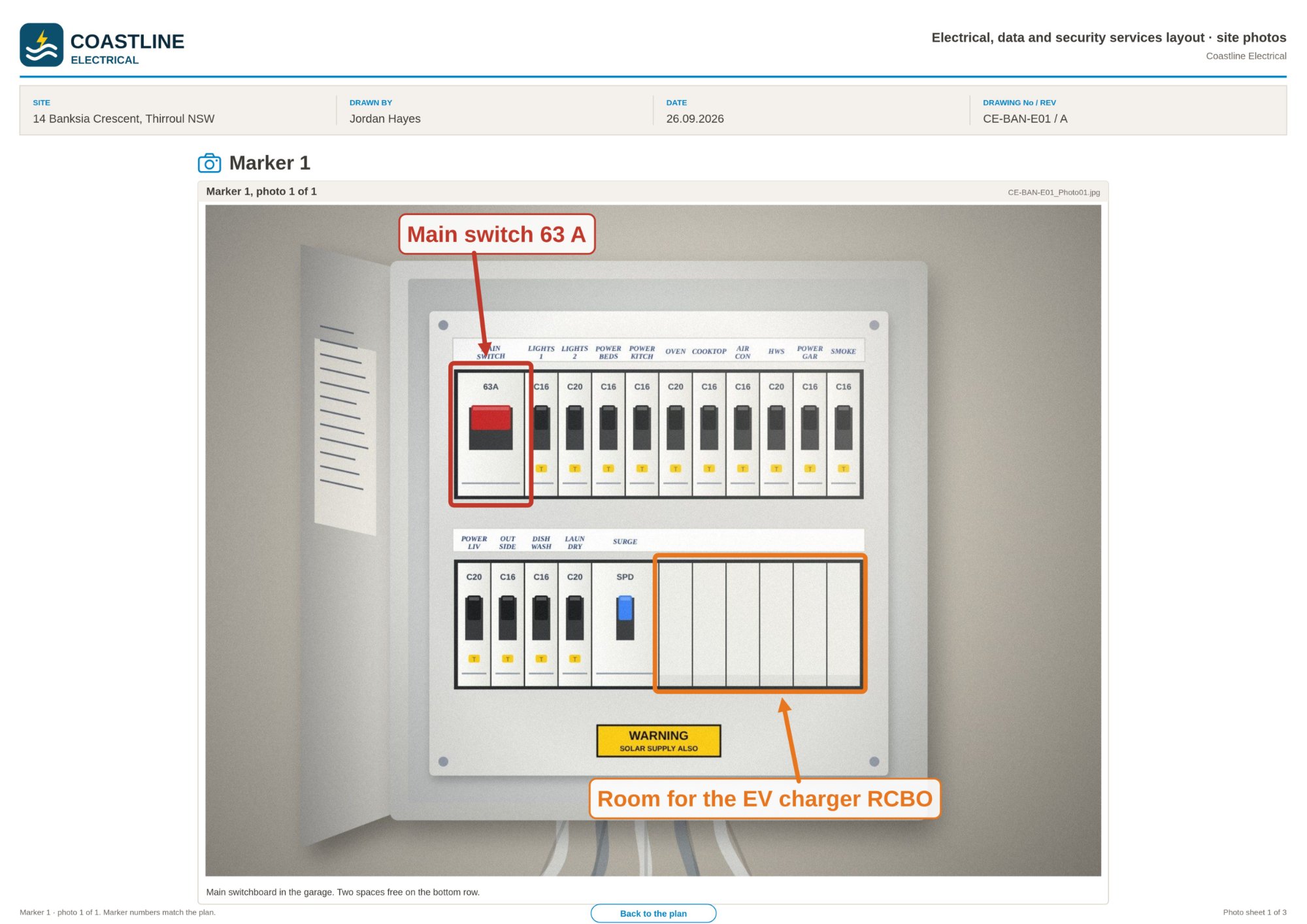
Pin site photos to the plan.
Drop a numbered marker on the plan and attach the photos taken there.
- Numbered markers Show where each photo was taken.
- Photo markup Arrows, boxes, text and symbols in six colours.
- Captions Typed, or written with AI.
- Photo pages in the PDF Linked to and from the plan.
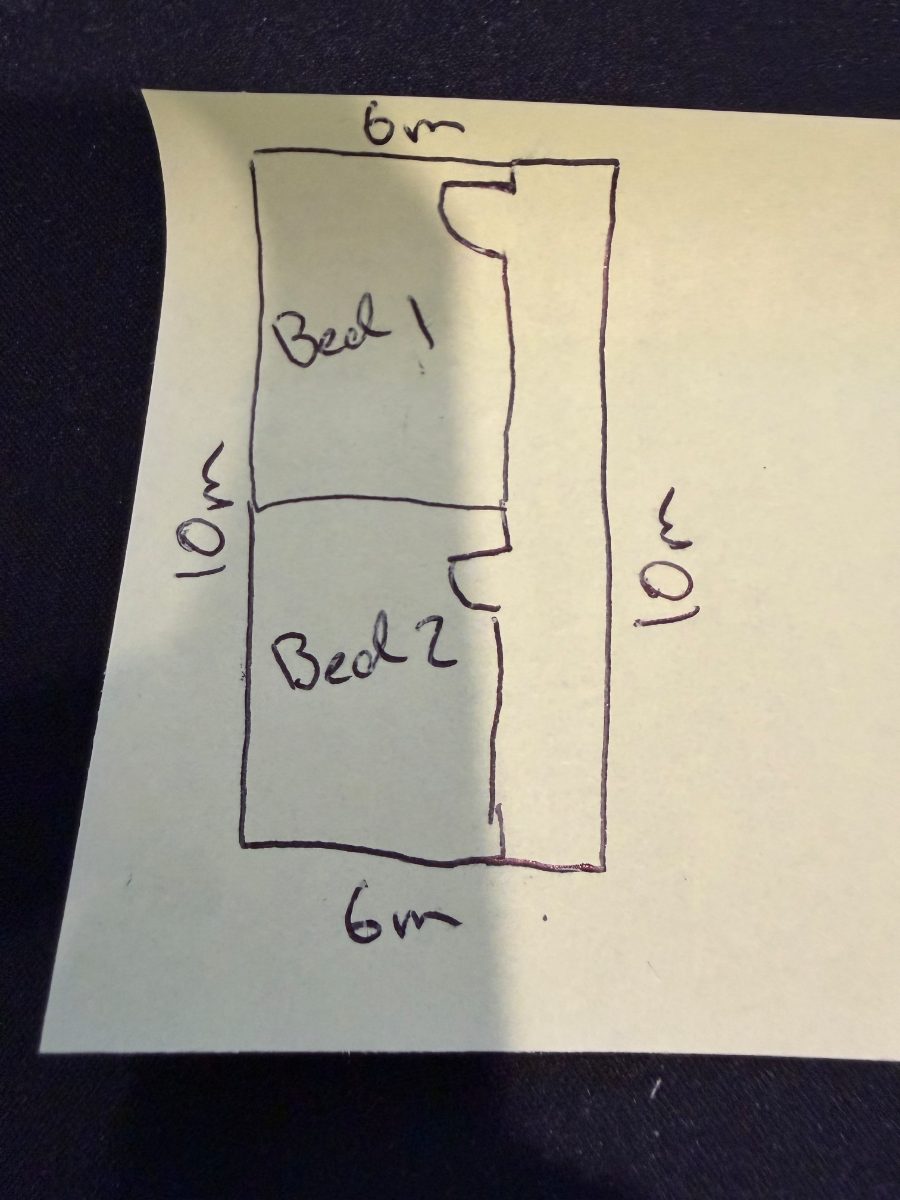
Turn a hand sketch into a plan.
Photograph a rough sketch and get scaled walls, rooms and doors.
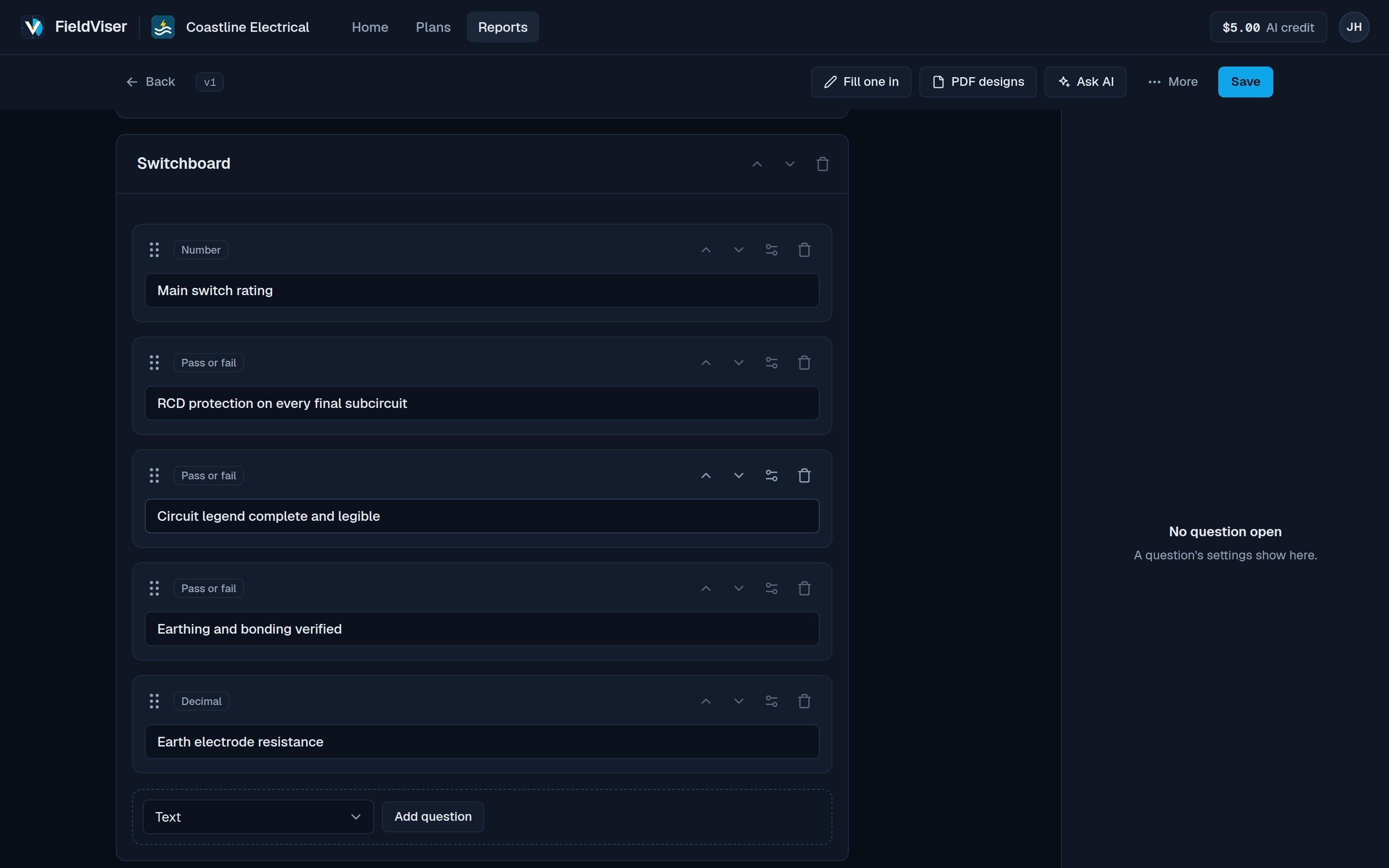
Build your own test sheets and forms.
Start from a ready made form, your paper form or a blank page.
- 23 question types Pass or fail, signatures, photos, addresses and more.
- Repeating sections A row per circuit, with photos.
- Calculated answers Totals and pass or fail from readings.
- Conditional questions Shown only when they apply.
- Limits and defaults Required answers, ranges and starting values.
- Build with AI From a description or a photo of a paper form.
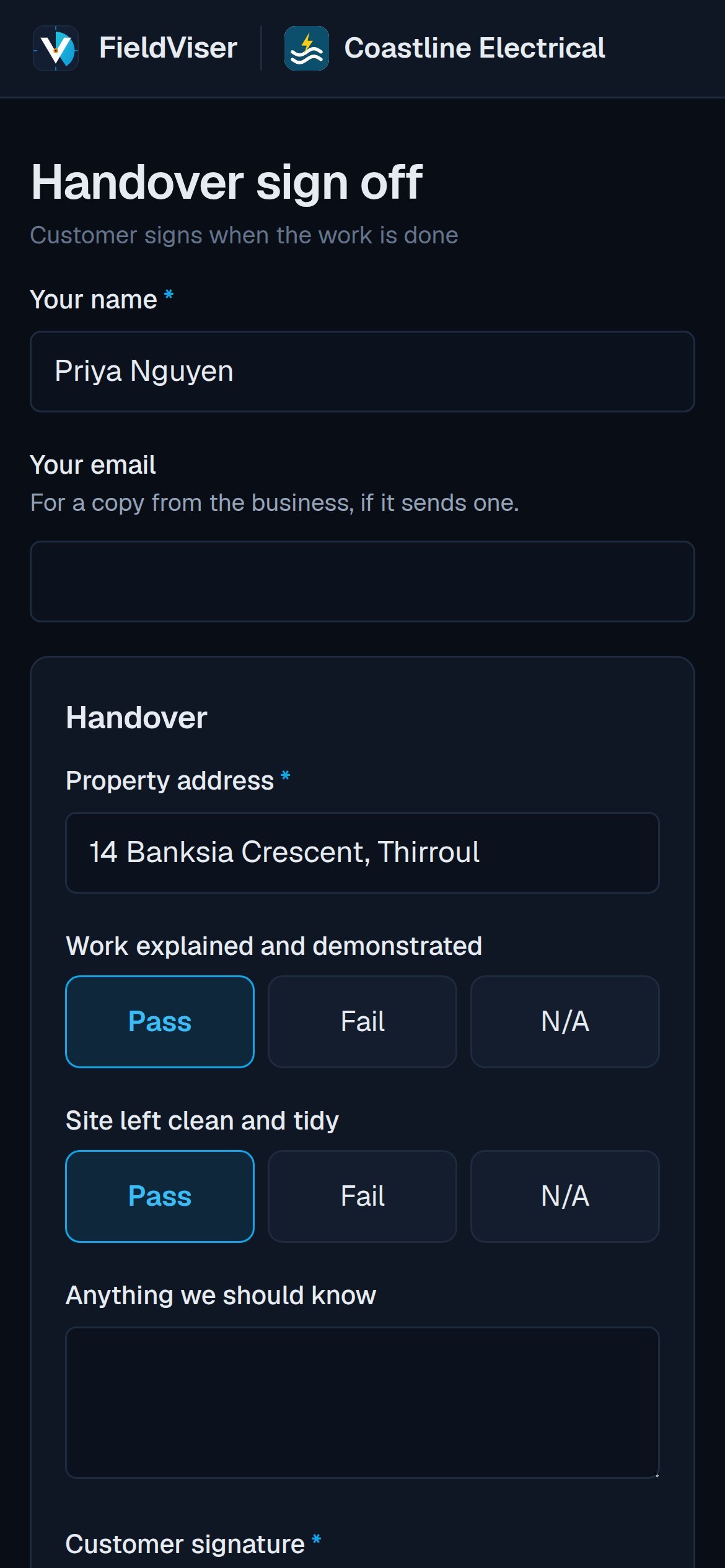
Fill in reports on your phone and get them signed on site.
Pass, Fail and N/A are one tap each.
- Customer signature Signed on screen with a finger.
- Share link Customers fill in a form without an account.
- Address suggestions As you type or from your location.
- Email on completion PDF sent to the office, customer or both.
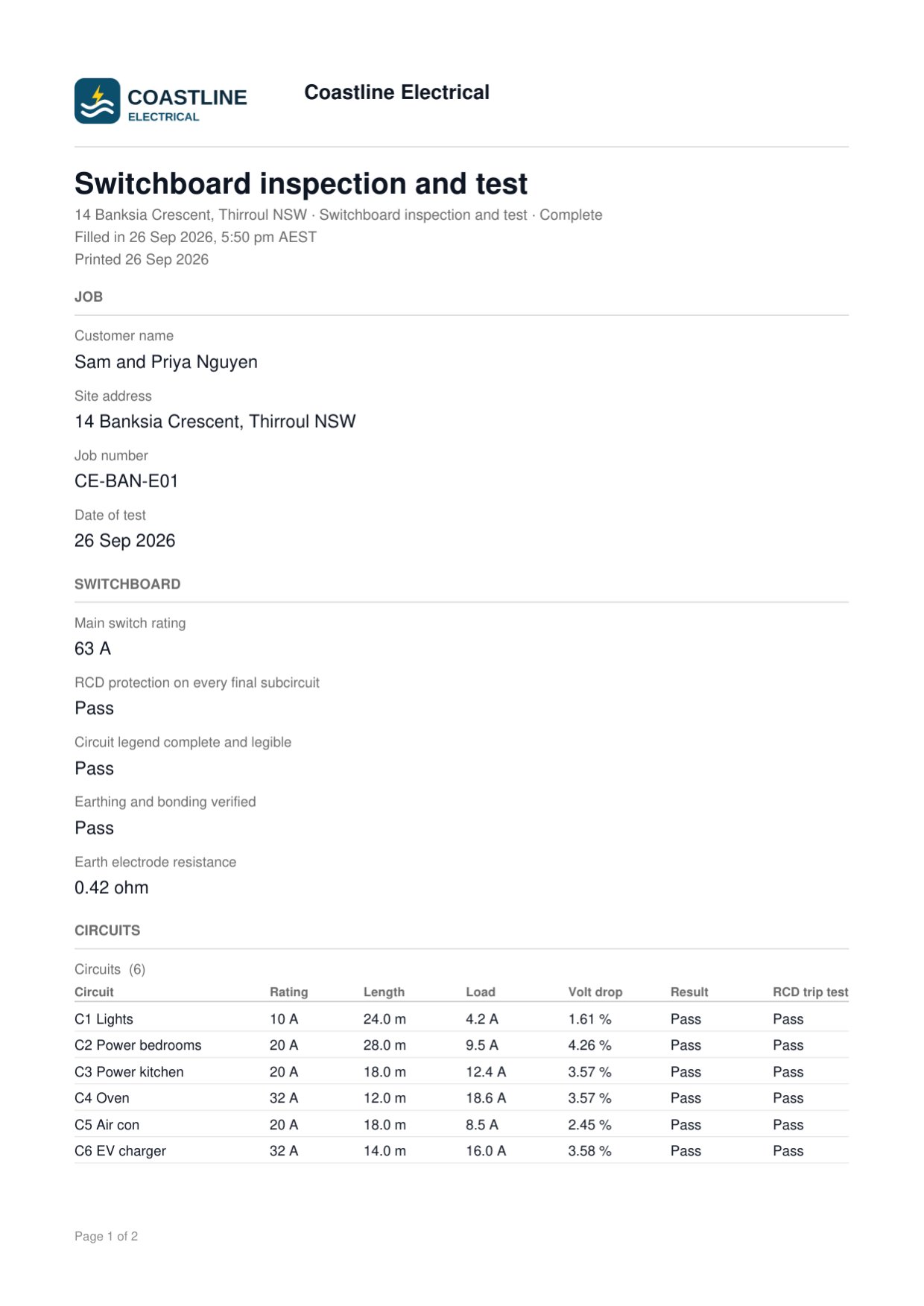
Branded PDFs for every report.
Every PDF carries your header, colour and layout.
- Standard or custom design Blocks, pictures, rich text and page sizes.
- Your existing PDF Answers placed in boxes over it.
- Job drawing included Reports on a job end with the plan.
- Entries table Every report on a form, with CSV and bulk PDF.
Team and account tools.
Set up once. Use it on every job.
- Set up the businessAdd your logo, colour, licence and contact details. They print on every drawing and report.
- Draw the plan and fill in the reportMark up the plan in the office or on site. Fill in the test sheet on your phone, with or without signal.
- Send the PDFSend the customer a branded PDF, or email it automatically when the report is marked complete.
One price for the business. Not per person.
Start free on a real job. Move up when the work does.
Free
$0no card
needed
One person trying it on real work.
Start free- 1 person
- 10 jobs in total
- 2 forms, 10 reports in total
- 1 design page in a job
- 5 photos on a plan
- 200 MB of storage
- $1 of AI credit to start, no top ups
PDFs carry “Made with FieldViser” in the footer.
Starter
$25a month
+ GST
A small crew with a steady run of jobs.
Get started- 3 people
- 20 new jobs a month
- 25 forms, unlimited reports
- Elevations and PDF plans
- Email the PDF when a report is complete
- Custom PDF layouts built in the app, one a form
- Share link on one form
- 10 of your own symbols
- 2 GB of storage
No FieldViser credit on your PDFs.
Pro
$49a month
+ GST
A growing team that runs every job through it.
Get started- 10 people then $5 each a month + GST
- Unlimited jobs, forms and reports
- Calculated answers and conditional questions
- Your existing PDF form uploaded, answers filled in on it
- Share links on every form
- Bulk PDF and CSV exports
- Email to fixed addresses as well as the customer
- 10 GB of storage
- Unlimited symbols and design pages
Everything in Starter.
Compare every feature
| Feature | Free$0 | Starter$25 a month | Pro$49 a month |
|---|---|---|---|
| Limits | |||
| People | 1 | 3 | 10, then $5 each a month |
| Jobs | 10 in total | 20 a month | Unlimited |
| Forms | 2 | 10 | Unlimited |
| Reports filled in | 10 in total | Unlimited | Unlimited |
| Design pages in a job | 1 | 5 | Unlimited |
| Photos on a plan | 5 | 50 | Unlimited |
| Your own symbols | –Not included | 10 | Unlimited |
| Materials added by hand, in a job | 5 | 50 | Unlimited |
| Groups of your own on the materials page | –Not included | 3 | Unlimited |
| AI credit | $1 to start | Packs | Packs |
| Plans in | |||
| A photo or scan of a plan | |||
| A PDF plan, with a page picker | –Not included | ||
| An SVG, a plan file or a job file | –Not included | ||
| A hand sketch read by AI | |||
| Drawing | |||
| Walls, rooms, doors and windows | |||
| Symbol library, stacks and mount heights | |||
| Switching and wiring, problems flagged | |||
| Measurements and auto measure | |||
| Layers | |||
| Photo markup and captions | |||
| Elevations, a panel per wall | –Not included | ||
| Drawing numbers, revisions and issued stamp | –Not included | ||
| Placing and editing | |||
| Place one or keep placing, every control on the whole selection | |||
| Symbols at their real size, live distance to the nearest wall | |||
| Copy the look, replace, rows, room fills and kits | A few a job | Unlimited | Unlimited |
| Distances to both walls and the symbols either side | –Not included | ||
| Select all like this in a room | –Not included | ||
| Select all and replace across the whole job | –Not included | –Not included | |
| Fine symbol size slider | –Not included | ||
| Footprints printed on the PDF | –Not included | ||
| Symbol list cut to any mix of trades | –Not included | ||
| Fill a room and spread along a wall by spacing | –Not included | ||
| Fill several rooms at once | –Not included | –Not included | |
| Your own kits | 1 | 5 | Unlimited |
| Pinned symbols | 3 | 20 | Unlimited |
| Counts | |||
| Symbol counts and legend | |||
| Materials by room | –Not included | ||
| Mount height groups and checks | –Not included | ||
| Counts as a CSV | –Not included | –Not included | |
| Cable estimate off the switching | –Not included | ||
| Cable estimate by room and in the CSV | –Not included | –Not included | |
| Drawings out | |||
| A3 PDF, linked page to page | |||
| Notes and scope of works | |||
| Image and job file | –Not included | ||
| PDF pages dragged into your order | –Not included | ||
| Start a report from a job | –Not included | ||
| Job drawing at the end of its report | –Not included | ||
| Forms | |||
| Form builder and ready made forms | |||
| Signatures, photos, pass or fail | |||
| Build with AI and Ask AI | |||
| Repeating sections | –Not included | ||
| Report name pattern | –Not included | ||
| Calculated answers | –Not included | –Not included | |
| Conditional questions | –Not included | –Not included | |
| Filling in | |||
| Works with no signal | |||
| Address suggestions | |||
| Share link, no account needed | –Not included | 1 form | |
| Report PDFs | |||
| Standard layout with your logo | |||
| Page size, margins, header and photo frames | –Not included | ||
| Custom PDF layouts, built in the app | –Not included | 1 a form | |
| Your existing PDF form, answers filled in on it | –Not included | –Not included | |
| Design with AI and Place boxes with AI | –Not included | –Not included | |
| “Made with FieldViser” in the footer | Yes | –Not included | –Not included |
| Sending and records | |||
| Email the PDF when marked complete | –Not included | ||
| Email to fixed addresses as well | –Not included | –Not included | |
| Entries table and bulk delete | |||
| Entries as a CSV | –Not included | ||
| Bulk PDF | –Not included | –Not included | |
| Trash and restore | |||
| Business | |||
| Logo and details on every PDF | |||
| Sheet colour and icon | –Not included | ||
| Owner, admin and member roles | –Not included | ||
| AI switch, credit history, support access | |||
| Guided tours and the help assistant | |||
Prices in AUD, plus GST. Unlimited is under a fair use limit. New features reach every plan, in full on Pro.

Plans, reports and PDFs
from one app.
Set up your business and start your first plan.